Intake is not paperwork. It's clinical reasoning.
NutriClient assessments go beyond form collection. Sixty-five semantic fields across thirteen clinical categories feed a structured review workspace with eight reasoning domains, inline chart editing, and direct handoff to notes, plans, and tracker assignments. The intake process becomes the foundation of care — not a PDF in a folder.
Across 13 clinical categories — from demographics and dietary patterns to GI function and behavioral factors. Every field is typed, structured, and reusable across forms.
General Intake, Health History, Consent, Follow-Up, GI Symptom Review, Goal Update, Progress Review, Discovery Questionnaire, and Dietary Assessment — ready to assign or customize.
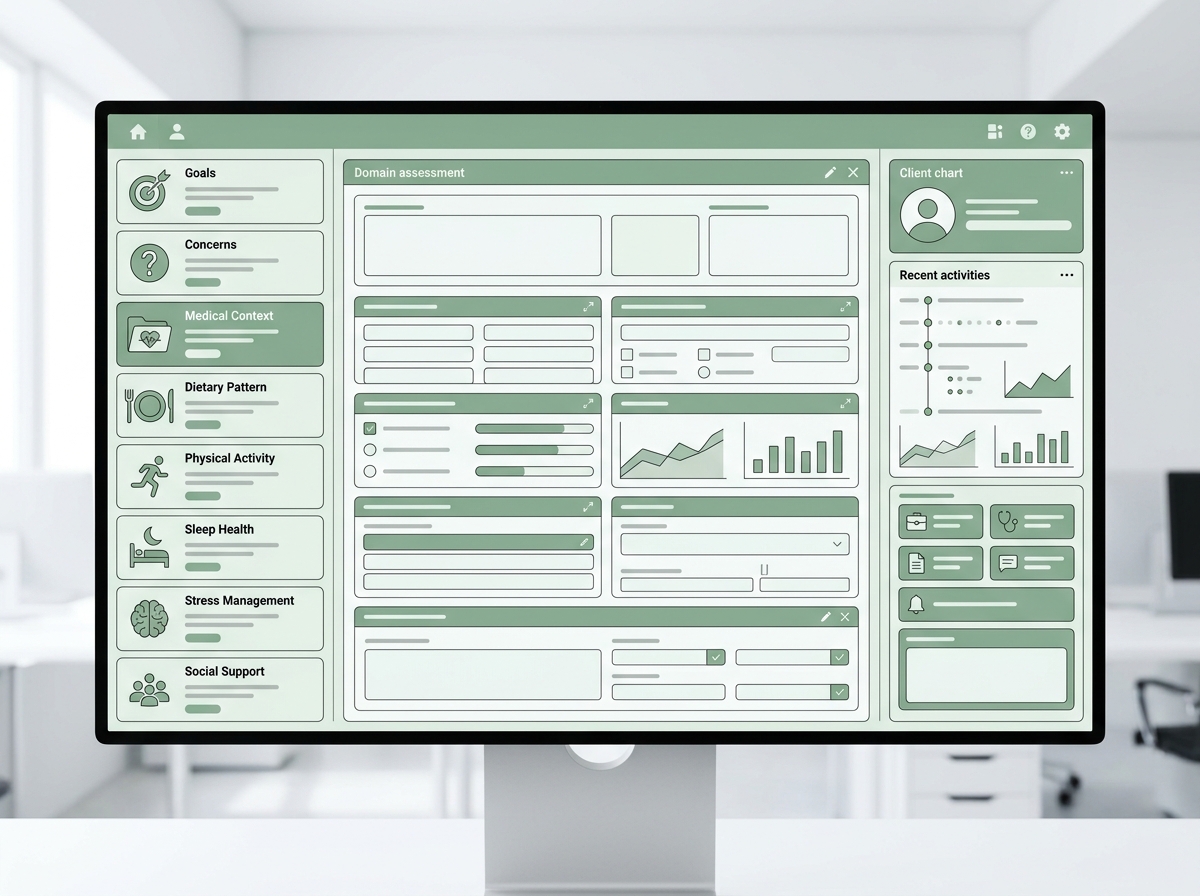
Structured reasoning across Goals, Concerns, Medical Context, Dietary Pattern, Symptoms, Lifestyle, Barriers, and Measurements — so you review with intention, not just habit.
Form builder
Build forms from a clinical vocabulary, not a blank canvas.
The form builder draws from the same 65-field vocabulary used across the entire platform — assessments, trackers, chart notes, and care plans all speak the same clinical language. Drag fields from thirteen categories, arrange sections, and save reusable templates. Every field renders with type-appropriate inputs — scales as sliders, multi-selects as tag chips, dates as pickers.
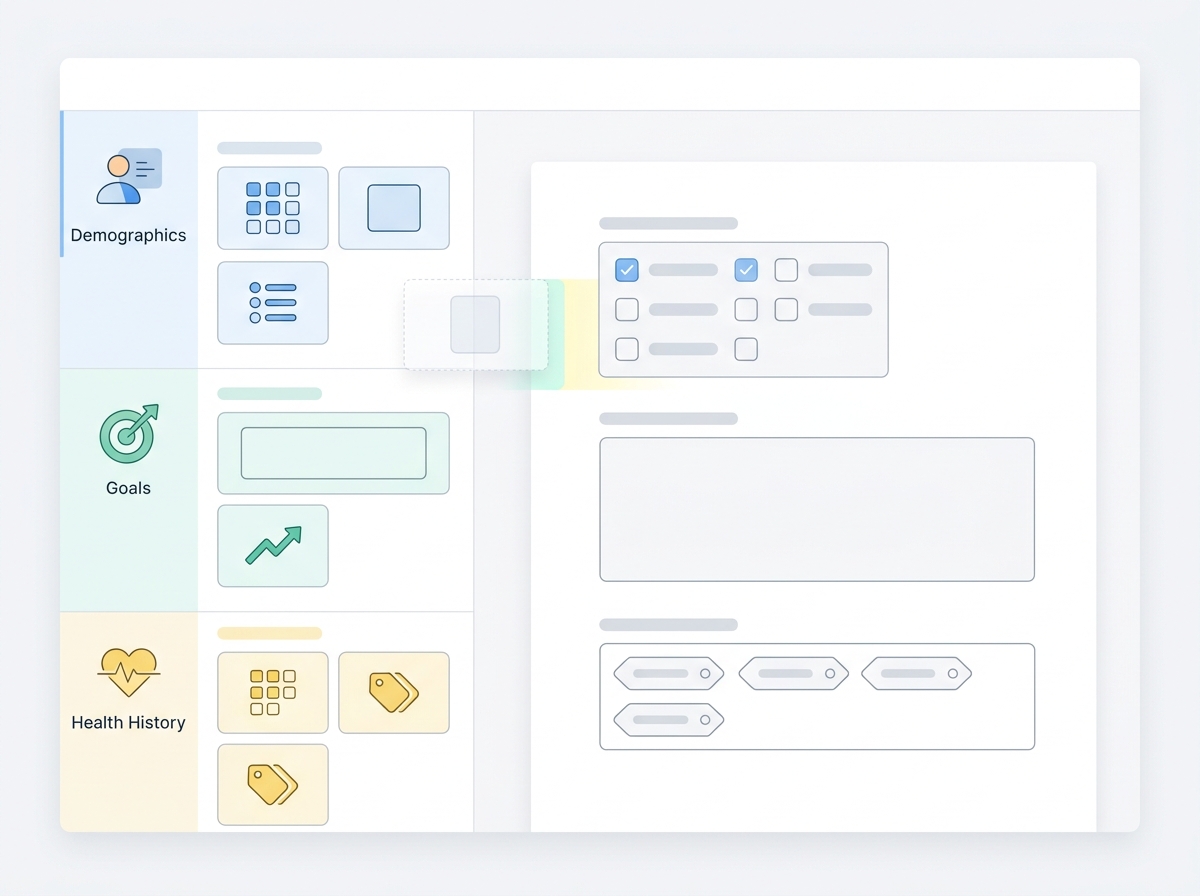
Forms that feel simple even when they're clinically deep.
Clients fill forms through their NutriClient portal — on desktop or mobile. Fields render with appropriate input types, so a scale question shows a slider, a symptom list shows selectable tags, and a free-text question shows a properly sized text area. Progress saves automatically. Clients can step away and return without losing answers. You see submission status at a glance — not started, in progress, or completed — so you know before every session whether the intake is ready.
Submission review
Review isn't reading. It's a clinical workflow.
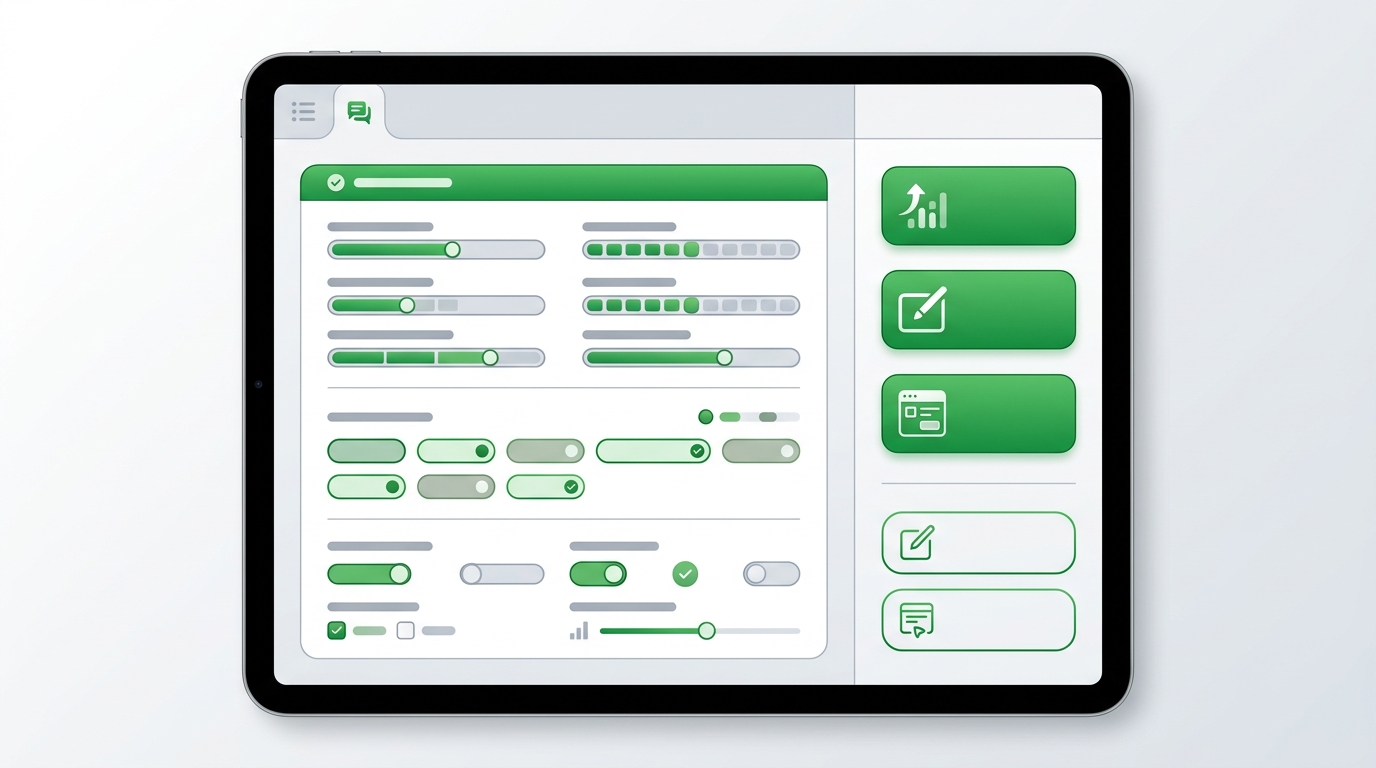
Completed submissions open in a two-column review workspace. Client responses on the left — rendered with visual intelligence. Scales appear as colored bars. Multi-selects as tag groups. Dimensional responses as structured summaries. On the right: action buttons that turn review into next steps.
Assessment presets
Five clinical starting points.
Each preset configures the assessment workspace for a specific clinical context — emphasizing the domains that matter most for that type of encounter.
Comprehensive first-visit evaluation across all clinical domains. Surfaces the full client picture before building a care plan.
Progress-focused review targeting adherence, symptom changes, and plan adjustments. Builds on the initial baseline.
Deep dive into digestive symptoms, bowel function, food triggers, and GI-specific history. For clients with primary GI complaints.
Behavioral patterns, metabolic history, activity levels, and relationship with food. For structured weight support protocols.
Goal clarity, motivation, readiness to change, and lifestyle habits. Lighter clinical depth, stronger engagement focus.
Structured clinical reasoning
Eight domains. Not a checklist — a reasoning framework.
The assessment workspace organizes clinical review into eight reasoning domains. Source data from the client's chart and intake submissions auto-surfaces in each domain so you're reviewing with context, not from memory. Edit the chart inline as you discover new information. Summarize priorities and hand off directly to notes, care plans, or tracker assignments.
What the client wants to achieve and why it matters to them right now.
Primary symptoms, complaints, and the reason for seeking care.
Diagnoses, medications, surgical history, and relevant lab work.
Current intake patterns, meal frequency, food quality, and nutritional gaps.
GI function, energy, sleep, mood, and other functional indicators.
Activity, stress, sleep habits, work demands, and social factors.
What has prevented change before and what might prevent it now.
Baseline metrics and measurable targets for tracking progress.
Context panel: While working through any domain, a side panel shows the client's chart, intake history, recent notes, active care plan, and tracker data. Everything you need to make an informed clinical decision is visible without switching screens.
Frequently asked questions
Assessment is where care quality begins.
See how NutriClient turns intake collection into structured clinical reasoning — from form to chart to care plan in a connected workflow.