A care plan is not
a PDF you email after a session.
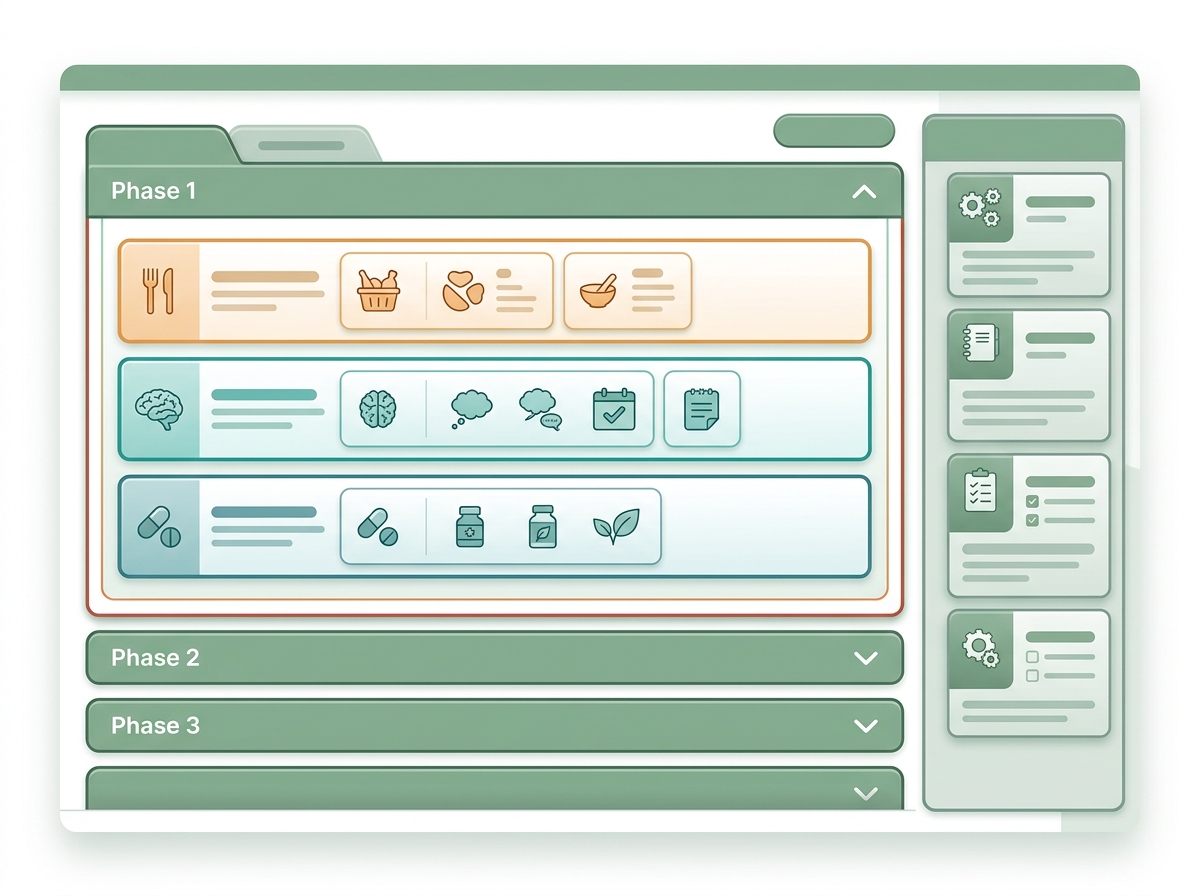
NutriClient care plans are living clinical documents — phased, typed, versioned, and connected to trackers and outcomes. They evolve with the client because real nutrition care is never a single prescription. It's a process.
Most care plans don't plan. They just document.
In most nutrition software, a “care plan” is a text field attached to a client record. A paragraph of recommendations. A PDF you email. Maybe a template you paste in and edit by hand. It doesn't have phases. It doesn't connect to tracking. It doesn't evolve when the client's situation changes. It's a record of what you recommended on one day — not a system for managing care across weeks, months, and pivots.
Free-text plans can’t distinguish a dietary intervention from a behavioral one, a supplement from an elimination protocol.
Static documents don’t phase. When the client’s needs change, you rewrite from scratch or add notes on top of notes.
Without tracker binding, there’s no systematic way to know whether the client is following the plan — or whether the plan is working.
From draft to active care in five steps.
Choose your interventions
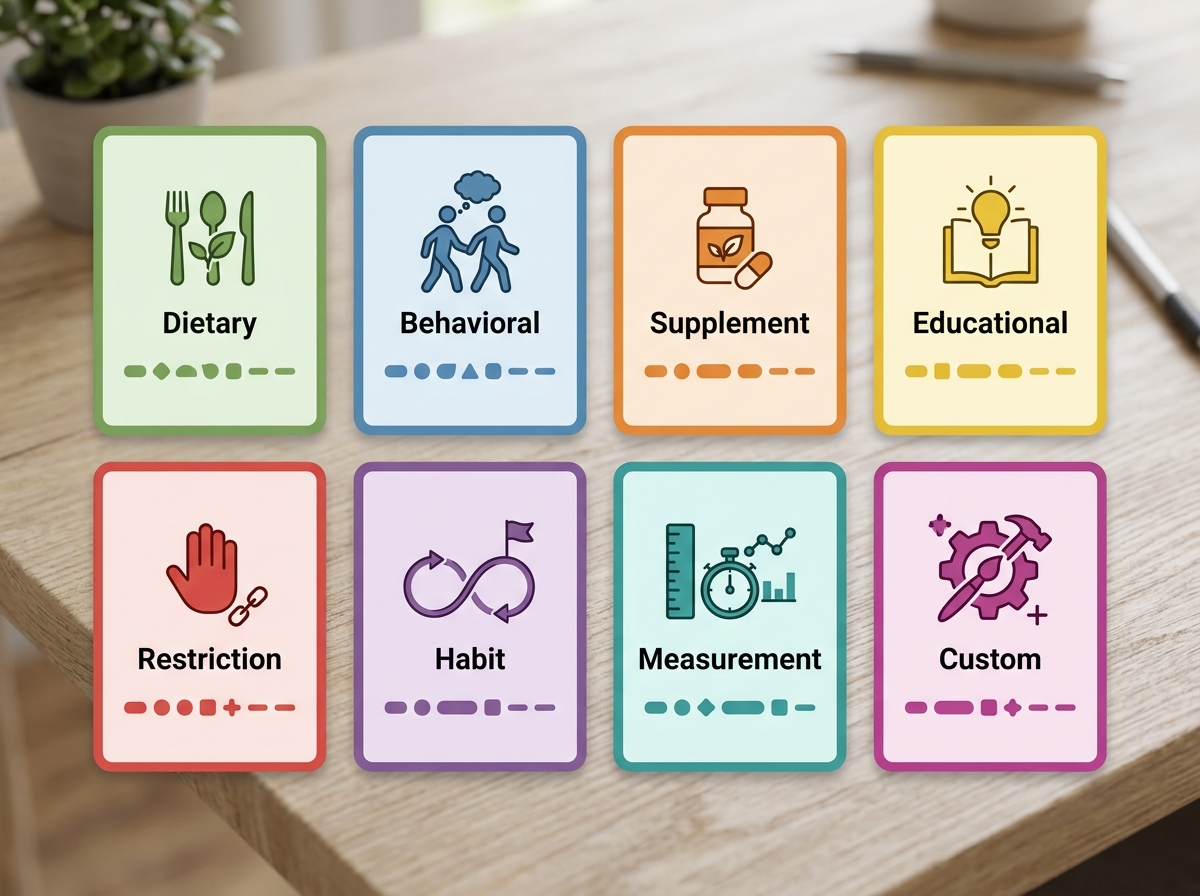
Start by selecting from eight typed interventions. Each type captures different structured fields — a dietary intervention records different data than a behavioral one, a supplement protocol different from an educational assignment. This isn’t a generic to-do list. It’s a clinical plan that understands what each intervention actually requires.
Organize into phases
Wrap interventions into phases that reflect the real arc of care. Phase one might focus on assessment and elimination. Phase two on reintroduction and monitoring. Phase three on long-term maintenance. Each phase has its own timeline, its own interventions, and its own review criteria. The plan evolves with the client — because care does.

Use a protocol template or start fresh
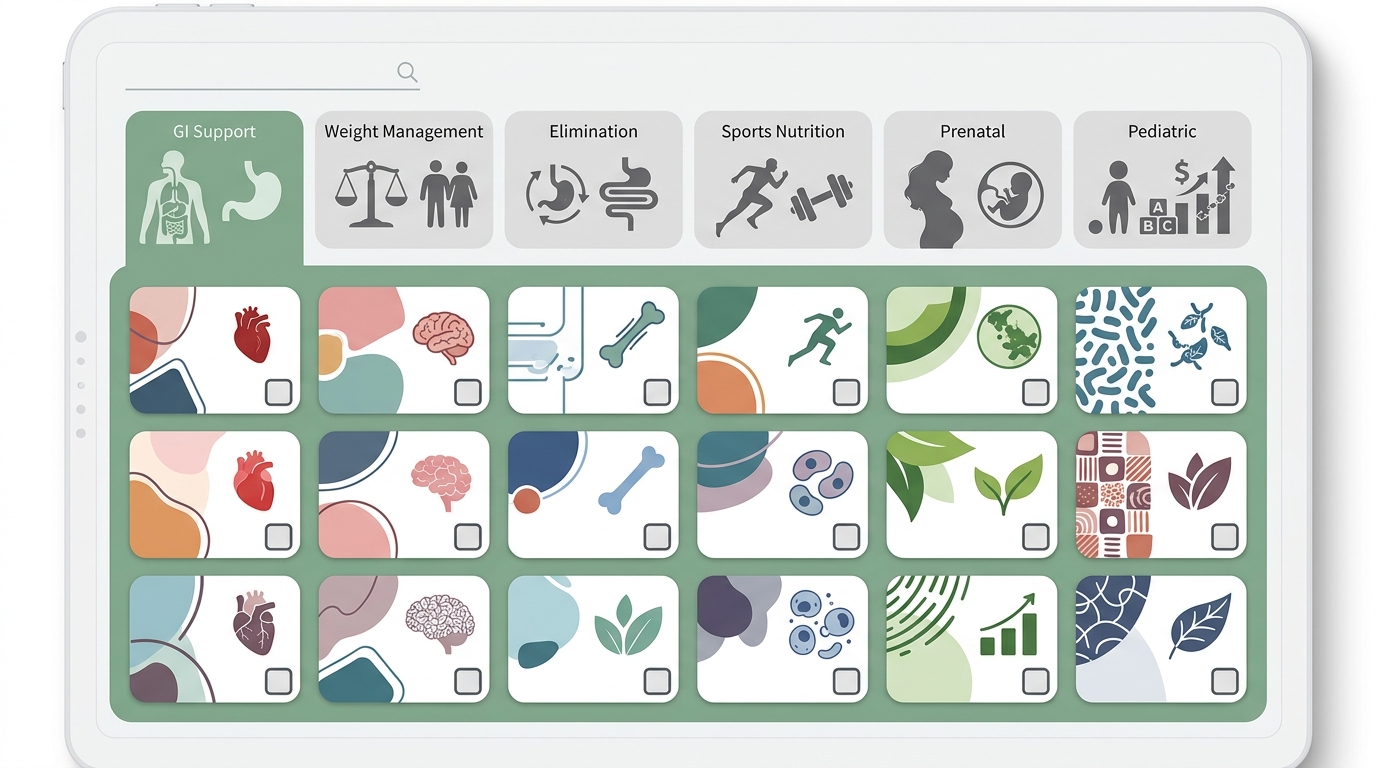
Your protocol library holds reusable templates organized by condition and population — GI Support, Weight Management, Elimination, Sports Nutrition, Prenatal, Pediatric, and any custom categories you define. Clone a template into a client plan and customize from there. Or start with a blank plan and build it by hand. Either way, you’re working from structure, not from scratch.
Activate the plan and trackers follow
When a care plan moves to active status, connected trackers are created automatically for interventions that need monitoring. A supplement protocol gets an adherence tracker. A habit intervention gets a daily check-in. A measurement intervention schedules collection points. No manual tracker setup — the plan drives the tracking.

Update, advance, and review
Advance the client to the next phase. Add or adjust interventions. Review adherence and outcomes. Every change is versioned — a full snapshot of the previous state is preserved so you can always see what the plan looked like at any point in the client’s journey. The plan is a living record, not a document you filed and forgot.

Intervention types
Eight ways to intervene. Each one structured.
Every intervention type captures different structured data because every intervention type requires different clinical information. A dietary intervention is not a supplement protocol is not a habit assignment. NutriClient knows the difference.
Meal targets, food group adjustments, calorie and macro prescriptions with structured fields for specificity.
Eating pace, mindful eating, meal environment changes — the habits that underpin sustainable dietary change.
Named products with dosage, frequency, and timing. Linked to the supplement protocol engine for adherence tracking.
Resources, handouts, and learning assignments. Clients receive materials through their portal automatically.
Elimination targets, allergen avoidance, FODMAP phases — structured constraints with duration and review dates.
Daily behaviors with frequency targets. Linked to the habit coaching framework for check-in tracking.
Weight, body composition, lab markers, or custom metrics — scheduled collection points tied to plan phases.
Anything that doesn’t fit the standard types. Free-form interventions with your own structured fields.
Draft. Activate. Complete. Archive. Always versioned.
Every care plan moves through a clear lifecycle with full version history at every stage. Work on a draft without affecting the client's active plan. Activate when ready. Complete a phase and advance to the next. Archive when care concludes. At every transition, the previous state is preserved as a timestamped snapshot — so your clinical record is always complete.
Frequently asked questions
Your clients deserve care that evolves with them.
See how NutriClient care plans move from protocol to progress — structured, versioned, and connected to the outcomes that matter.